How Does Site Audit Select Pages to Analyze for Core Web Vitals?
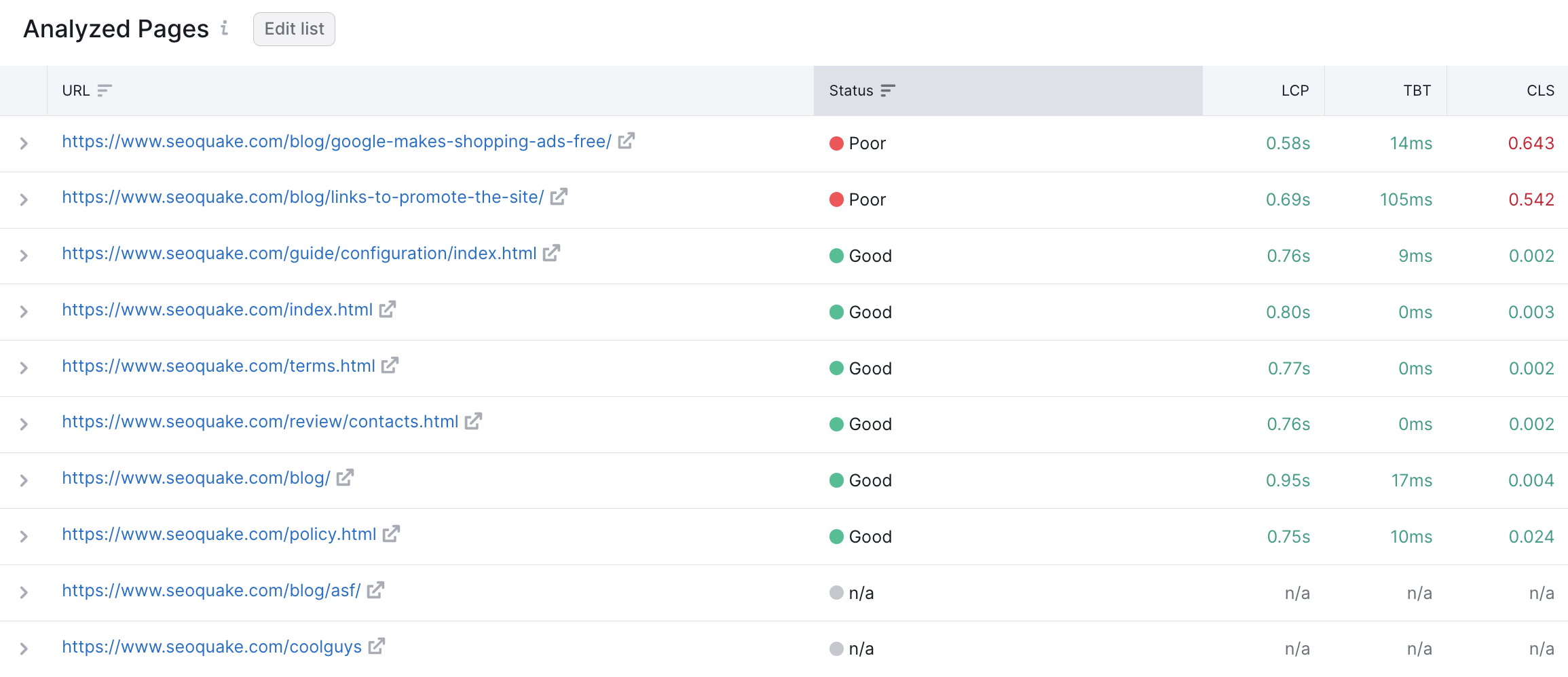
Site Audit picks the first ten pages that have the ‘200 OK’ HTTP Status Code.
For the website crawl source, the system will most often select the main page and those pages that have links from the main page.
For crawling by sitemap and by the list of URLs, the system will take the first ten pages in a row, since they are considered the most crucial.
The list of analyzed pages doesn’t change with each crawl. It is fixed by the Site Audit algorithms in order to show historical trends.' Please make sure that the pages are accessible for bots, otherwise they won’t be analyzed.
Can I Select the Pages Manually?
We have a functionality that allows you to select the pages that you want to be crawled. You can use it to audit the pages you are currently working on or the ones that are important for you at the moment, or different types of pages (e.g. main page, product page, category page) for an e-commerce site.
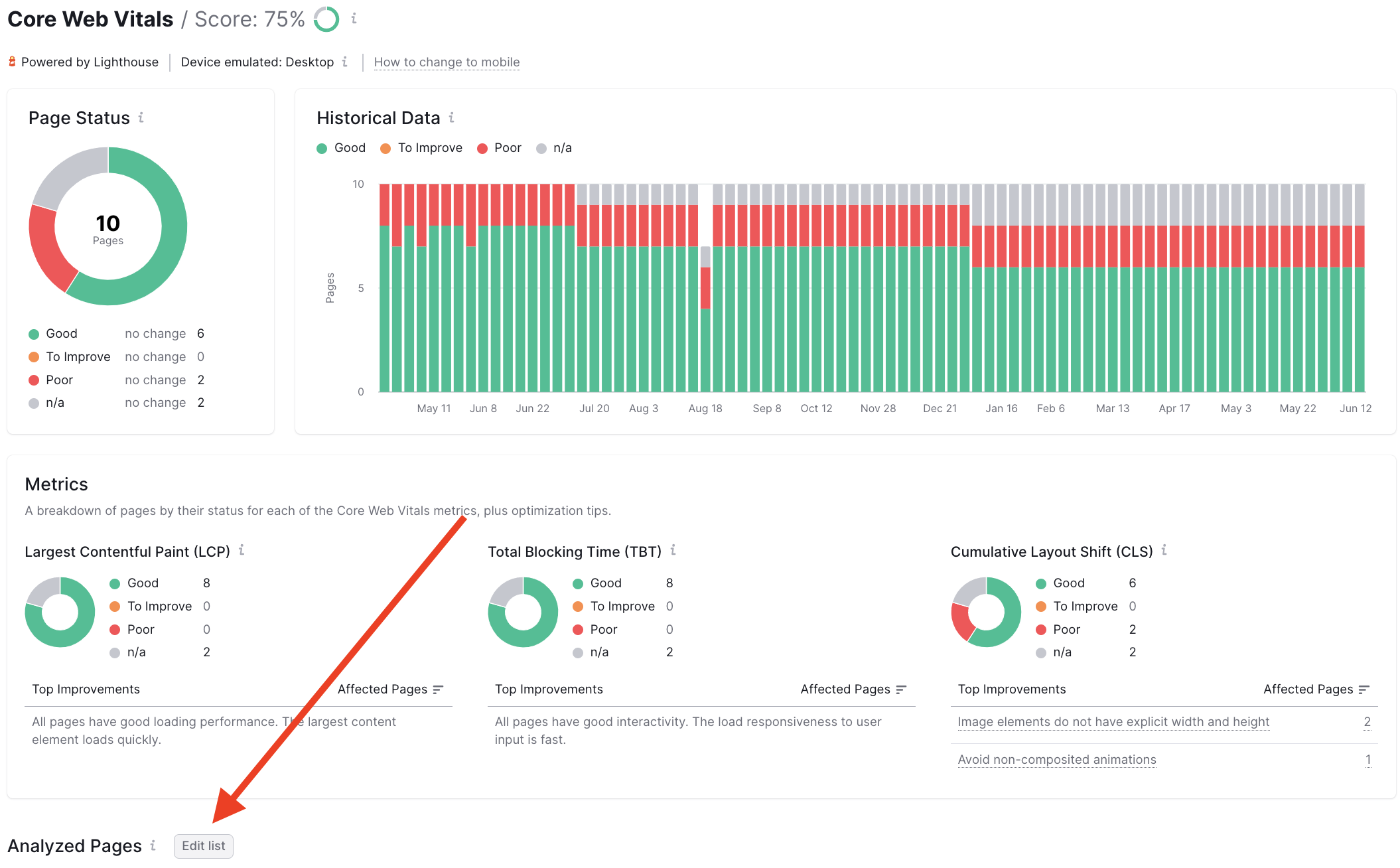
- Click on the “Edit list” button located at the top of the Analyzed Pages table.
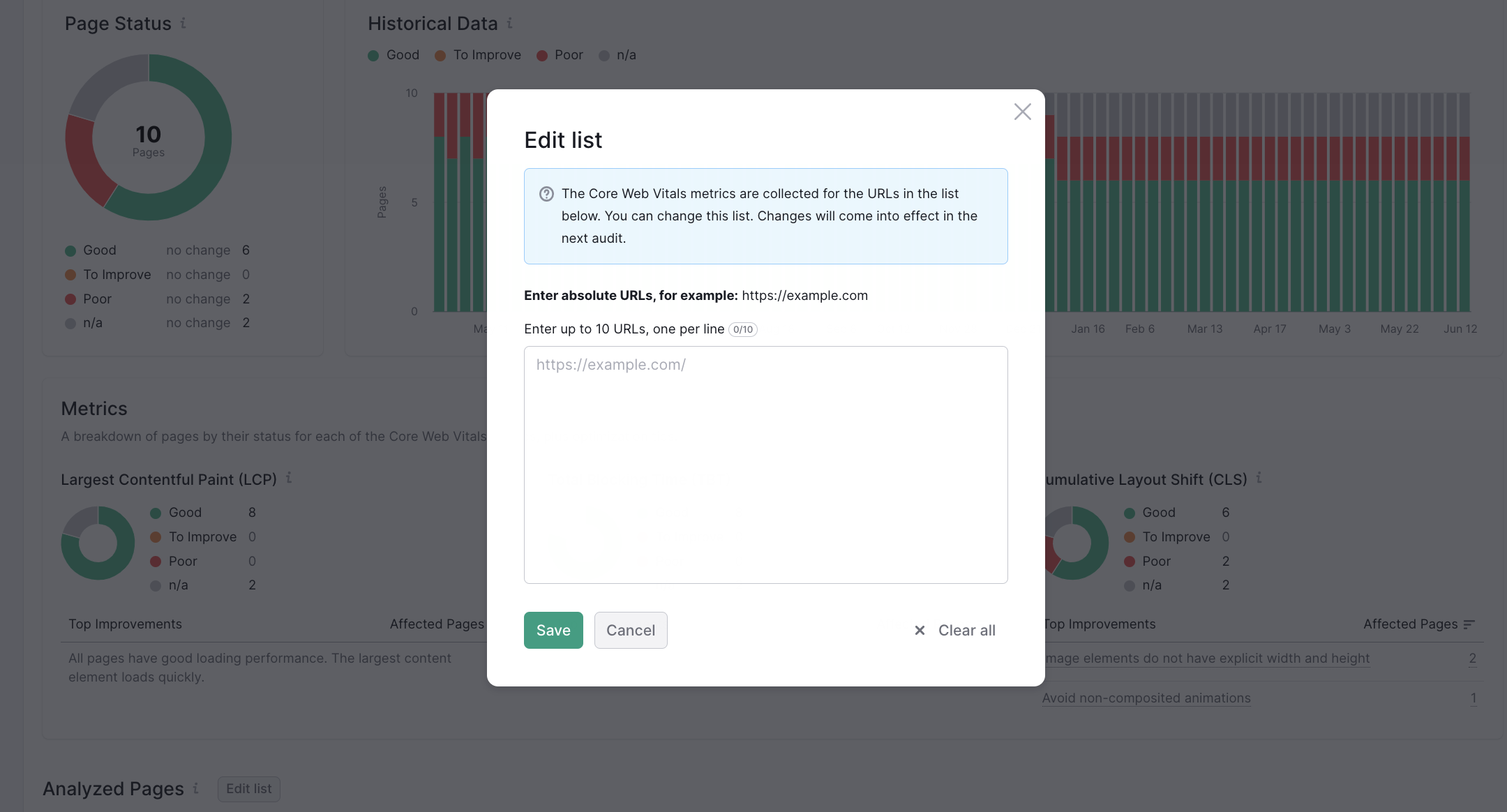
- Add up to 10 URLs to the list in the pop-up window.
- Initiate the recrawl to see the new metrics*.
*Please note that if the page is not available, the historical data will be deleted for it.
 돌아가기: Semrush 툴킷 카테고리